> For the complete documentation index, see [llms.txt](https://doc.d1ce.com/llms.txt). Markdown versions of documentation pages are available by appending `.md` to page URLs; this page is available as [Markdown](https://doc.d1ce.com/blog-zh-tw/chang-jian-wen-ti/ru-he-cun-ru-jia-mi-huo-bi.md).
# 如何存入加密貨幣
{% hint style="info" %}
#### 前置條件
在進行入金操作前,請確認您已具備以下條件:
* 已註冊並成功登入 D1CE 會員帳號
* 持有支援的加密貨幣錢包(如 Binance、Coinbase、OKX、Trust Wallet 等)
* 擁有足夠的加密貨幣資產(USDT、USDC、ETH 或 BTC)
{% endhint %}
{% stepper %}
{% step %}
**選擇加密貨幣**\
在充值彈出視窗中,選擇您要充值的加密貨幣(例如:USDT、USDC、ETH、BTC)
{% endstep %}
{% step %}
**選擇網路**\
對於 USDT 等代幣,您需要選擇正確的網路 (例如 TRC20、ERC20、BEP20)。
**注意:請確保您選擇的網路與外部錢包或交易所所使用的網路一致。**
{% endstep %}
{% step %}
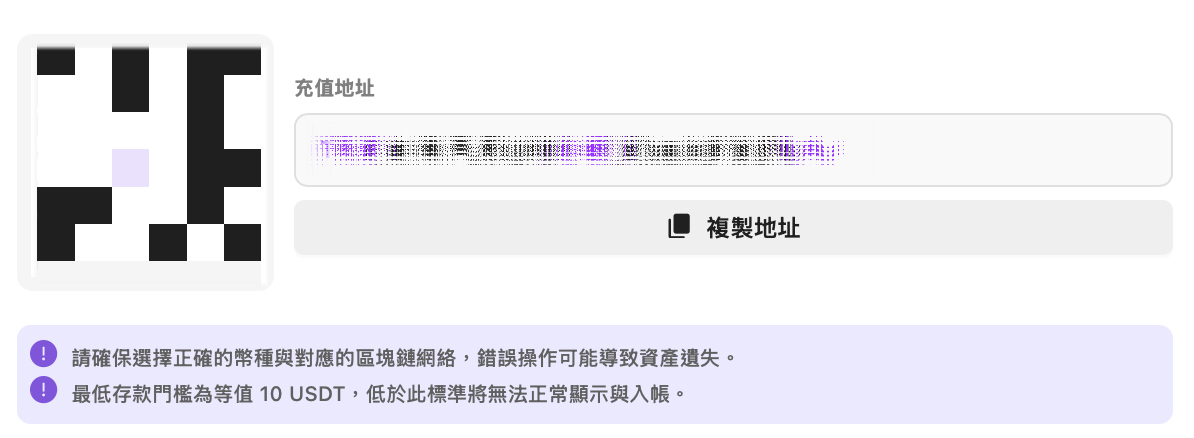
**複製充值地址或掃描 QR 代碼**
系統將為您的帳戶生成一個專屬的充值地址。\
點擊「複製地址」或使用錢包應用程式掃描 QR 碼。
{% endstep %}
{% step %}
**從外部錢包傳送加密貨幣到D1CE**
請選擇您在 D1CE 複製「充值地址」時所選擇的相同網路,並在從外部錢包發送或提幣時,將該地址貼上至對應欄位中。
{% endstep %}
{% step %}
**等待區塊鏈確認**
充值將在區塊鏈完成所需確認數後入帳。\
**注意:大多數交易都會在幾分鐘內處理完成,但也會有差異。**
{% endstep %}
{% step %}
**在 D1CE 檢查您的錢包餘額**
交易成功後,資金將自動顯示在您的 D1CE 錢包中 — 隨時準備開玩!
{% endstep %}
{% endstepper %}
---
# Agent Instructions
This documentation is published with GitBook. GitBook is the documentation platform designed so that both humans and AI agents can read, navigate, and reason over technical content effectively. Learn more at gitbook.com.
## Querying This Documentation
If you need additional information that is not directly available in this page, you can query the documentation dynamically by asking a question.
Perform an HTTP GET request on the current page URL with the `ask` query parameter, and the optional `goal` query parameter:
```
GET https://doc.d1ce.com/blog-zh-tw/chang-jian-wen-ti/ru-he-cun-ru-jia-mi-huo-bi.md?ask=&goal=
```
`ask` is the immediate question: it should be specific, self-contained, and written in natural language.
`goal` is optional and describes the broader end goal you are ultimately trying to accomplish on behalf of the user. GitBook uses it to tailor the answer towards what is most useful for that goal.
The response will contain a direct answer to the question and relevant excerpts and sources from the documentation.
Use this mechanism when the answer is not explicitly present in the current page, you need clarification or additional context, or you want to retrieve related documentation sections.